MySQL Workbench Release Notes
The DBDoc - Model Reporting dialog is found by opening a model, selecting from the menu, and then .
Note
This functionality is only available in the MySQL Workbench Commercial Editions.
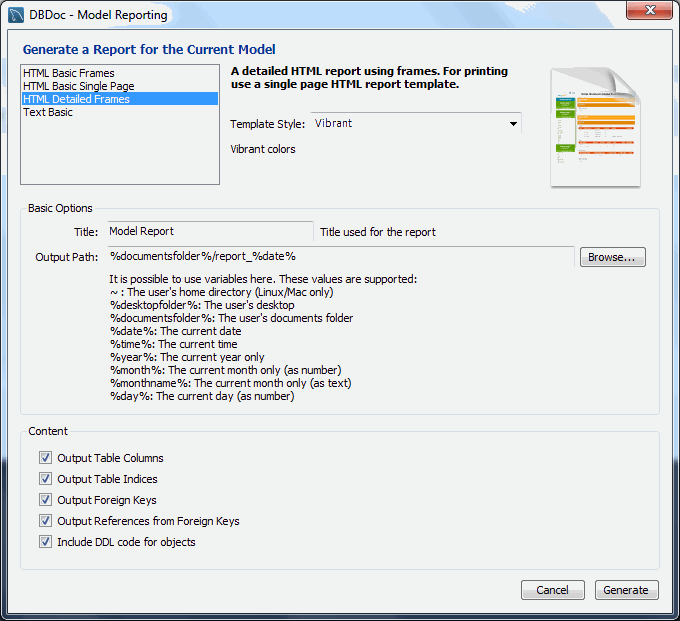
Use the DBDoc- Model Reporting dialog to set the options for
creating documentation of your database models. For example, the
following figure shows the dialog with HTML Detailed
Frames selected and the template style set to
Vibrant.
You can choose from four available templates to generate a report:
HTML Basic Frames: Model documentation in HTML format that makes use of frames.HTML Basic Single Page: Single Page HTML documentation, not using frames.HTML Detailed Frames: Detailed HTML documentation, using frames.Text Basic: Text file documentation.
When you click a template, a preview image displays on the right
side of the page. For the HTML Basic Frames
template, you can select either the Colorful or
the Restrained Colors option from the
Style list. The HTML Basic Single
Page template offers only the Colorful
style. The HTML Detailed Frames template offers
the Vibrant style, and also the more subdued
Coated style. The Text Basic
template offers only the Fixed Size Font style.
From the Base Options frame choose the report title and the output directory for the report files.
The following variables may be used to configure the output path:
~: The home directory of the user. Available on Linux and macOS versions only.%desktopfolder%: The desktop of the user.-
%documentsfolder%: The Documents folders of the user. The following table shows typical values for common platforms.Platform Typical Default Documents Folder Windows C:\Users\user_name\My DocumentsLinux ~/DocumentsmacOS Users/user_name/Documents %date%: The date in the format YYYY-MM-DD.%time%: The time in the format HHMM.%year%: The year in the format YYYY.%month%: The month in the format MM. January is 01 and December is 12.%monthname%: The name of the month, rather than the number.%day%: The day number in the format DD. For example, the 12th would be 12.
Content options can also be selected:
Output Table Columns: Display all the columns.
Output Table Indices: Display all the indexes.
Output Foreign Keys: Display all the foreign keys.
Output References from Foreign Keys: Display the tables that foreign keys reference.
Include DDL code for objects: Generates DDL code.
Clicking the button creates the
directory defined in the Output directory text
box. If you chose to create HTML Basic Frames,
you will find the following files in this directory:
basic.css: The style sheet for theoverview.htmlpage.index.html: The main page.overview.html: The model overview, the navigation links shown in the sidebar.restrained.css: The CSS file used if theRestrained Colorsstyle option was chosen.table_details.html: The main frame of the model report.
Choosing the HTML Basic Single Page option
creates a style sheet and an index.html file.
Choosing the HTML Detailed Frames option creates
the following files:
basic.css: The style sheet for theoverview.htmlpage. This is used if thevibrantstyle is chosen.coated.css: The CSS file used if theCoatedstyle option was chosen.index.html: The main page.overview.html: Overview information for the report such as report title, project name and author.overview_list.html: A summary of schema in the model along with a list of tables contained in each schema.routine_details.html: List of all routines for the schema.table_details.html: The main report details.table_details_list.html: A Schema overview along with details of columns, indexes and foreign keys for each schema.table_element_details.html: The details for every element of the table.top.html: The top frame of the report.view_details.html: List of all columns and indexes for the schema.
Choosing the Text Basic option creates a
directory containing one text file.
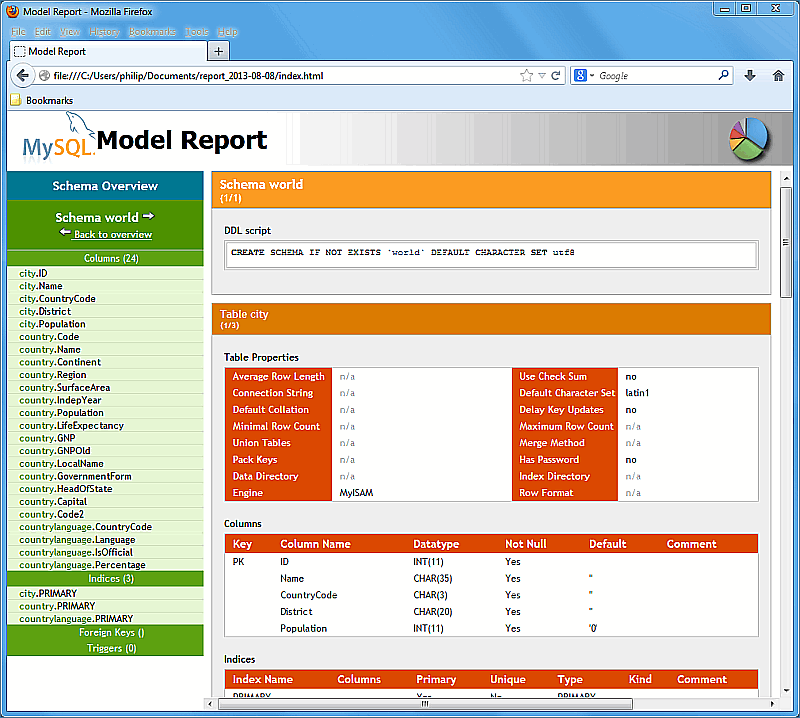
You can click index.html to view a report. The
following figure shows an output example of the HTML
Detailed Frames report for the world
schema.
For more information about creating custom templates, see Section 9.7, “Customizing DBDoc Model Reporting Templates”.